
Building ServiceNow Experiences with Lux Lab, VS Code and Now SDK
Two ways to build, one way to ship: how Lux Lab, VS Code and the Now SDK fit together.
Modern enterprise applications need more than functional workflows. Users expect intuitive interfaces, responsive performance and experiences that adapt to how they work. For ServiceNow developers, meeting those expectations has meant juggling different development environments, UI frameworks and deployment processes.
ServiceNow Lux changes that. It brings modern frontend technologies, AI-assisted development and source-code workflows together. With Lux Lab, Visual Studio Code (VS Code) and the ServiceNow SDK (Now SDK), developers can create, customize, preview and deploy ServiceNow experiences with familiar tools and reusable components.
This guide covers:
- What ServiceNow Lux is
- What each tool does, and when to use it
- A five-step workflow from setup to deployment
- Best practices for enterprise Lux development
What Is ServiceNow Lux?
ServiceNow Lux is a modern, AI-native user interface framework for the next generation of experiences on the ServiceNow AI Platform, introduced with the ServiceNow Brazil release.
Instead of relying on platform-specific UI technologies, Lux uses established web standards, including Lit, Base UI and Tailwind CSS. Developers can apply familiar frontend practices while building interfaces that integrate with ServiceNow functionality. And rather than bolting AI onto an existing interface, Lux is designed to host AI capabilities inside the experience itself.
Key characteristics
- Modern frontend architecture: standards-based technologies for modular, maintainable interfaces
- Reusable UI components: widgets that serve multiple pages and experiences
- AI-native design: experiences can include AI-driven assistance and contextual interactions
- Developer flexibility: use dedicated tools or familiar code editors
- Platform integration: custom experiences work within the wider ServiceNow ecosystem
ServiceNow has already named AI Control Tower and EmployeeWorks as examples of experiences built with Lux.
Lux does not require replacing existing Workspaces or Service Portal implementations. It adds another development approach that coexists with established experiences.
Lux Lab, VS Code and Now SDK: What Each Tool Does
All three tools contribute to the same development process, but each has a distinct role.
| Tool | Role | Best for |
|---|---|---|
| Lux Lab | Guided environment for building Lux experiences | Teams new to Lux who want a structured introduction |
| VS Code + Lux Lab extension | Lux development inside a familiar code editor | Developers who want Git, code review, debugging and AI coding assistants |
| Now SDK | Source-code foundation: local development, source control, deployment | Managing changes with established engineering practices |
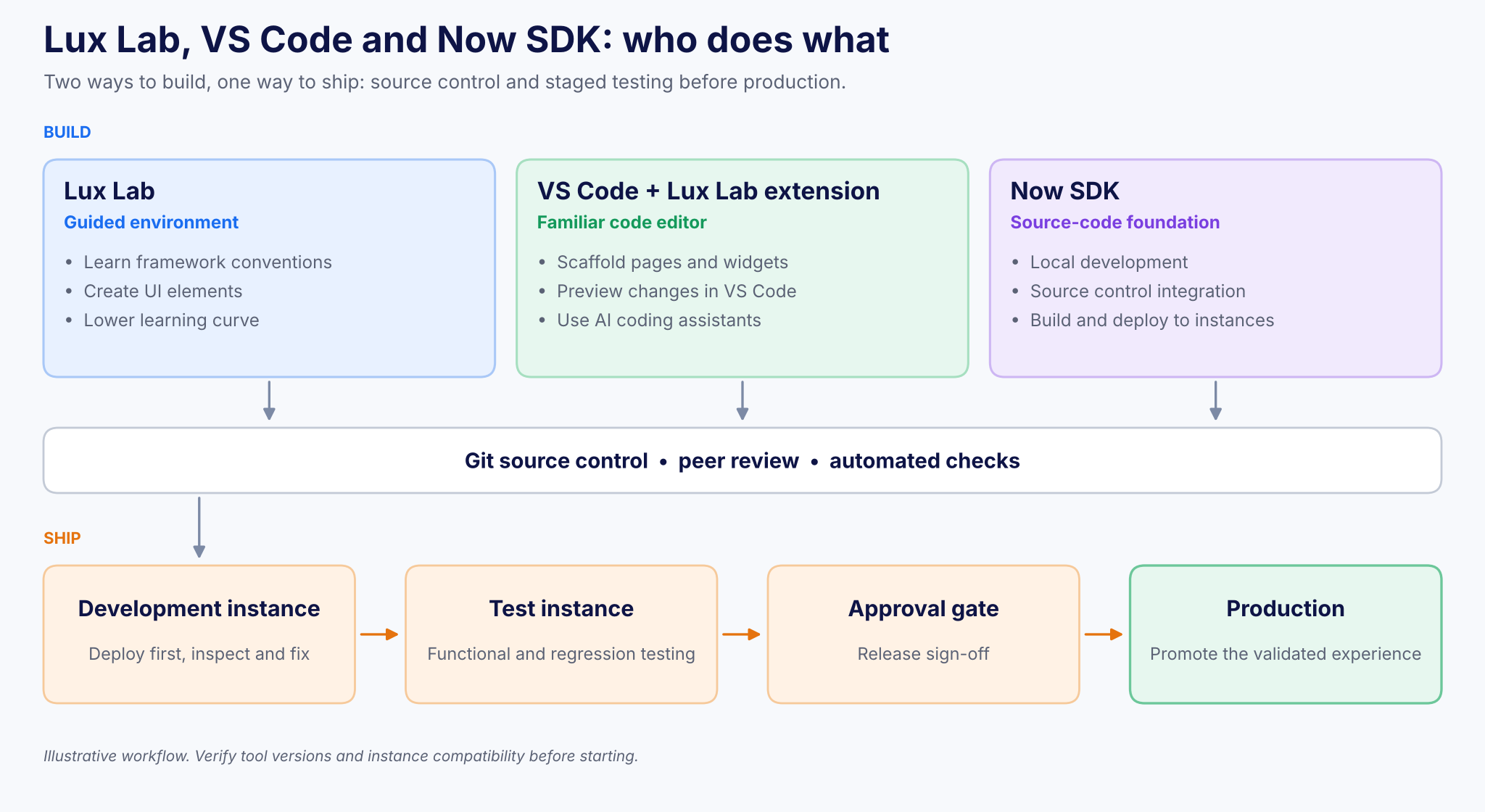
Figure 1. Two ways to build, one way to ship: from Lux Lab or VS Code through Git to production.
Lux Lab: a guided environment
Lux Lab provides a dedicated environment for building ServiceNow experiences with the Lux framework. It suits developers moving from traditional ServiceNow approaches who want a structured introduction to the new architecture.
Teams can learn experience structures, create UI elements and work with framework conventions without assembling a full development environment themselves, which shortens the learning curve.
VS Code: a familiar workspace
For developers already in VS Code, the Lux Lab extension brings ServiceNow experience development into their existing editor. It lets them:
- Create and extend experiences
- Build pages and widgets
- Explore the relevant files
- Preview changes directly in VS Code
- Work with compatible AI coding assistants alongside manual implementation
Teams keep familiar practices such as code reviews, Git version control and editor-based debugging while adopting Lux.
Now SDK: the source-code foundation
The ServiceNow SDK provides the underlying tooling for developing ServiceNow applications as source code: local development, application configuration, source control integration and deployment to instances.
Instead of managing every change through browser-based configuration, developers organize code in a structured project and manage changes with established engineering practices. The SDK connects modern development environments to the ServiceNow platform.
How to Build a ServiceNow Experience with Lux Lab and VS Code
A practical Lux workflow has five steps: environment setup, experience creation, widget development, preview and deployment.
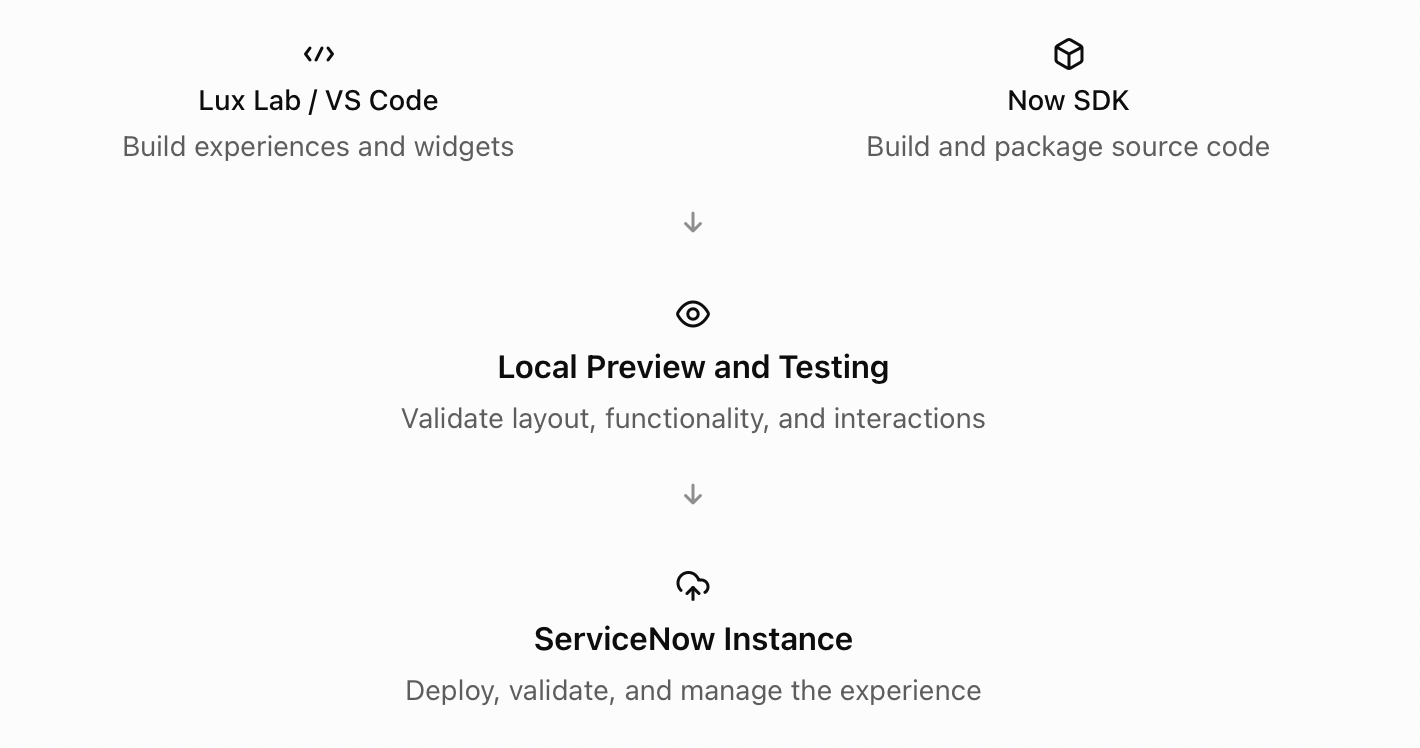
Figure 2. ServiceNow Lux development workflow.
Step 1: Prepare the development environment
Configure your local tools and connect to a compatible ServiceNow instance. According to the documented requirements for the Lux Lab VS Code extension, you need:
| Requirement | Minimum version |
|---|---|
| Visual Studio Code | 1.97 or later |
| Node.js | 24 or later |
| pnpm | 10 or later |
| ServiceNow SDK | 4.10 or later |
| ServiceNow instance | Compatible release, e.g. Australia Patch 5+ or Zurich Patch 12+ |
Then install the extension and connect it to the target instance. Requirements may change as the framework evolves, so verify compatibility before starting a project.
Step 2: Create or extend an experience
Create a standalone experience or extend an existing ServiceNow application.
Example: an IT service organization builds a custom operations dashboard that shows incidents, service requests and operational metrics in one interface. Instead of starting from a blank codebase, the VS Code extension scaffolds the project structure and provides sample pages, widgets and relevant metadata.
For existing applications, developers can extend supported experiences without rebuilding the whole interface, adding new capabilities while protecting existing functionality.
Step 3: Build pages and reusable widgets
Define pages, build widgets, configure navigation and connect the experience to the relevant ServiceNow functionality.
Example: an incident management experience might include a priority overview, an incident detail panel and contextual actions. Reusable widgets keep design and behavior consistent across experiences.
AI-assisted coding tools can generate initial implementations or speed up repetitive tasks. AI-generated code still needs human review for security, correctness, accessibility and maintainability.
Step 4: Preview and validate changes
Lux Lab for VS Code lets developers preview experiences without switching between development environments: inspect pages, evaluate layouts and adjust before deployment.
Validation should go beyond appearance. Check:
- Data handling
- User permissions
- Navigation
- Performance
- Error states
Testing early catches issues before changes reach shared environments, reducing rework during integration and deployment.
Step 5: Build and deploy with Now SDK
After development and validation, the Now SDK prepares application changes for deployment. Combined with source control and established release processes, it gives teams more visibility over what changes.
For enterprise projects, connect this workflow to Git-based CI/CD, automated checks and approval gates. Deploy first to a development or test instance, run functional and regression tests, then promote to production. That keeps releases controlled, especially when several developers work on the same application.
Why Lux Changes ServiceNow Application Development
Lux is more than another interface framework. It brings ServiceNow experience development closer to modern software engineering:
- Flexibility: choose guided development in Lux Lab or work directly in VS Code, on the same framework
- Component reuse: build shared components and patterns instead of rebuilding similar elements per application
- Stronger collaboration: source-code workflows simplify reviews, version history and distributed teamwork
- AI-assisted development: use compatible AI tools for implementation while keeping responsibility for architecture and security
Together, these help organizations build more consistent ServiceNow experiences with less development friction.
Best Practices for Enterprise Lux Development
Successful adoption takes more than installing new tools. Balance speed with governance:
- Start with a focused use case: a custom dashboard, a specialized employee experience or an extension to an existing application, not a redesign of every interface.
- Define reusable component standards early, so new pages follow consistent design and interaction patterns.
- Keep source code in version control, require peer reviews and add automated validation where practical.
- Verify access controls and platform compatibility before deployment.
- Track release guidance and feature maturity: ServiceNow’s September 2026 developer guidance identified general availability as planned for Q4 2026.
For testing AI-assisted functionality before go-live, see our article ServiceNow AI Agent Testing: 7 Checks Before Production.
Key Takeaways
- Lux is ServiceNow’s AI-native UI framework, built on Lit, Base UI and Tailwind CSS
- Lux Lab offers a guided start; the VS Code extension brings Lux into a familiar editor
- The Now SDK connects both to source control and deployment
- Five steps: prepare, create or extend, build widgets, preview, deploy
- Review AI-generated code and test in dev and test instances before production
- Lux coexists with Workspaces and Service Portal; GA is planned for Q4 2026
Frequently Asked Questions
What is the difference between Lux Lab and the Lux Lab VS Code extension?
Lux Lab is a guided environment for learning and building with the Lux framework. The VS Code extension brings the same Lux development into Visual Studio Code, with scaffolding, preview, Git and AI coding assistants.
What do I need to start building with Lux in VS Code?
VS Code 1.97+, Node.js 24+, pnpm 10+, ServiceNow SDK 4.10+ and a compatible instance such as Australia Patch 5+ or Zurich Patch 12+. Verify current requirements before starting.
What does the Now SDK do in Lux development?
It provides source-code tooling for local development, source control integration and deployment of ServiceNow applications to instances.
Do we need to replace Workspaces or Service Portal?
No. Lux coexists with existing Workspaces and Service Portal implementations.
How Teiva Systems Can Help
At Teiva Systems, we help organizations turn ServiceNow from a collection of workflows into an integrated enterprise platform. Our expertise spans application development, platform integration, workflow automation and AI-driven solutions.
As Lux reshapes the development landscape, the question is not only how to use it, but where it delivers real business value. We help teams:
- Evaluate modern ServiceNow development approaches
- Design scalable application architectures
- Set up maintainable development and deployment practices
ServiceNow Lux is an important evolution in how developers create enterprise experiences. With Lux Lab, VS Code and the Now SDK, organizations can move to a flexible, source-code-driven model backed by modern web technologies and AI-assisted tooling.
The opportunity is not just better-looking interfaces. It is maintainable, reusable and adaptable applications that keep up with changing business requirements. Understanding these tools now prepares your team for the next generation of platform experiences.
Ready to modernize your ServiceNow development approach? Contact Teiva Systems to explore how modern application development, automation and AI can support your digital transformation.
Slava Trotsenko, CEO, Nov 26, 2026
Eager to take the next step? Contact us today!
Latest Articles
How ServiceNow Developer Sandboxes Improve Parallel Development and Reduce Conflicts
What happens when five developers work on the same ServiceNow application at once? One updates a business rule. Another modifies a workflow. A third adds an integration. Meanwhile, someone is fixing a critical production issue.
read more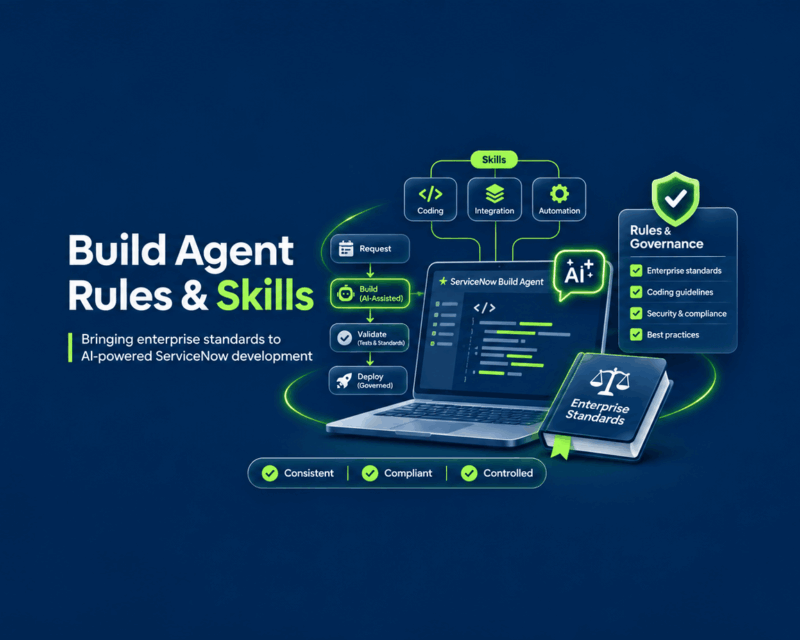
ServiceNow Build Agent Rules and Skills: Bringing Enterprise Standards to AI-Powered Development
AI can generate applications in minutes. But can it follow your company’s architecture, security policies and development standards? ServiceNow Build Agent’s custom Rules and Skills bring consistency, control and enterprise knowledge to AI-powered development.
read more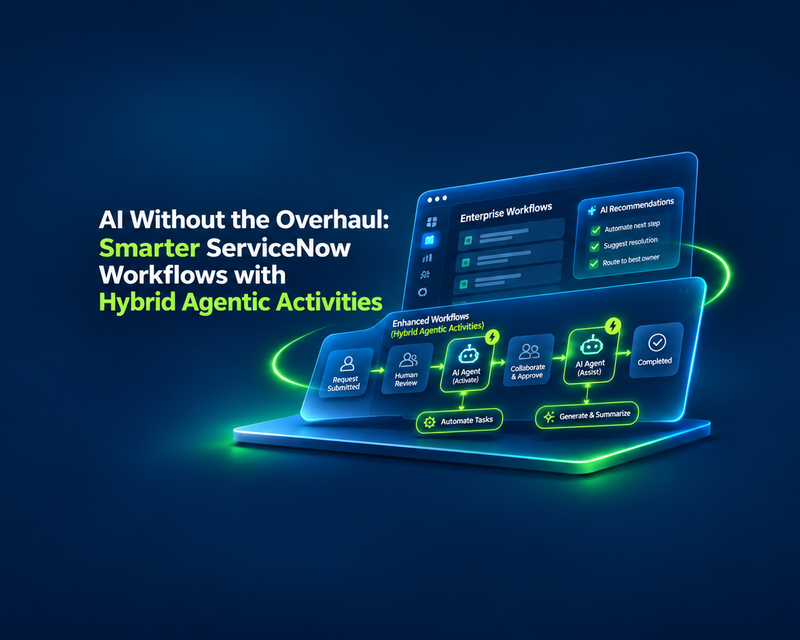
AI Without the Overhaul: Smarter ServiceNow Workflows with Hybrid Agentic Activities
What if making your ServiceNow workflows smarter didn’t require rebuilding them?For years, enterprise automation has followed a familiar formula: define the process, configure the rules, let the system run predictable steps.
read more