
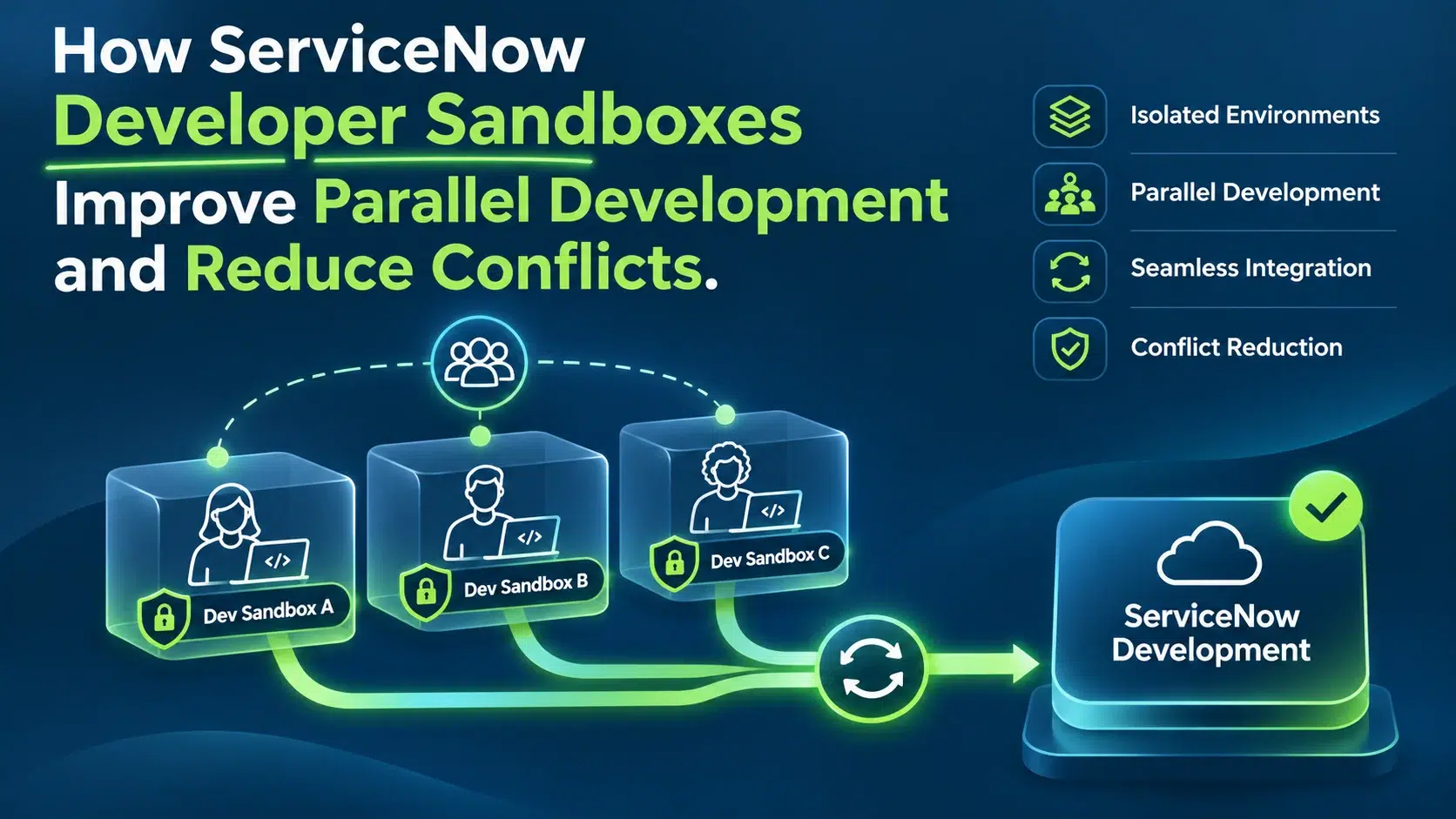
How ServiceNow Developer Sandboxes Improve Parallel Development and Reduce Conflicts
What happens when five developers work on the same ServiceNow application at once?
One updates a business rule. Another modifies a workflow. A third adds an integration. Meanwhile, someone is fixing a critical production issue. Everyone is moving fast, but in a shared development environment, their changes can collide:
- A configuration gets overwritten
- A feature that worked yesterday suddenly fails
- A deployment slips because two developers changed the same component without realizing it
The problem is usually not the code. It is the environment the code is built in. Shared-instance development creates dependencies between developers, forcing teams to coordinate changes, protect unfinished work and spend time resolving conflicts.
ServiceNow Developer Sandboxes change this model. They provide isolated development environments connected to a common baseline instance, so teams can build, test and validate changes independently. Combined with Git-based source control, they make parallel development more predictable, reduce accidental overwrites and help deliver faster.
For enterprises managing complex ServiceNow applications, this is more than a productivity gain. It is a shift toward a more scalable development lifecycle.
Why Traditional ServiceNow Development Creates Bottlenecks
In many ServiceNow implementations, developers share a single non-production instance. That works for small teams with occasional changes, but coordination gets harder as developers, applications and requirements grow.
Example: a team is developing three improvements at the same time:
- Developer A is creating a new employee onboarding workflow
- Developer B is modifying approval logic for service requests
- Developer C is updating an integration with the same application
Each task is separate, but the work may touch overlapping metadata, configuration records or application dependencies. In a shared environment, these changes can interfere with each other before they are ready.
The hidden cost of shared development
- Accidental overwrites: two developers editing the same record replace each other’s changes
- Unstable testing: a finished feature fails because of someone else’s unfinished configuration
- Development delays: teams postpone testing or wait for others to finish with a shared component
- Difficult troubleshooting: with many changes landing at once, finding a defect’s source gets harder
- Higher deployment risk: without clear boundaries, incomplete or conflicting changes complicate release preparation
As teams scale, communication alone cannot manage this. The solution is to separate development work before conflicts occur.
What Are ServiceNow Developer Sandboxes?
ServiceNow Developer Sandboxes are temporary, isolated development environments built on top of a common non-production ServiceNow instance. Instead of everyone modifying one shared environment, teams provision dedicated sandboxes for individual developers, user stories or tasks.
Each sandbox starts with the base instance’s metadata, giving developers a consistent foundation while keeping their later metadata changes isolated. Developers can experiment, configure, write code and test without immediately affecting colleagues.
According to ServiceNow’s official documentation, Developer Sandboxes support parallel application development and integrate with source-control workflows to reduce conflicts and simplify delivery.
| Environment | Purpose | Lifespan |
|---|---|---|
| Developer Sandbox | Coordinated development against the organization’s application baseline | Short-term; retired when the task is done |
| Personal Developer Instance | Independent learning and experimentation | Personal, not tied to your baseline |
| Traditional dev/test instance | Shared development or testing | Long-lived |
How Developer Sandboxes Enable True Parallel Development
The biggest advantage: developers no longer compete for the same working environment. Workstreams progress independently while staying connected to a consistent application foundation.
1. Independent workspaces for every developer
Example: a team building an enterprise service management application has one developer on a new catalog item, one optimizing a Flow Designer workflow and one building a custom integration. Each works in an isolated sandbox, and unfinished changes stay separate until they are intentionally brought together. Developers can:
- Change configuration without overwriting a colleague’s unfinished work
- Test experimental functionality independently
- Develop separate features concurrently
- Keep control over their own changes
Less time goes into coordinating access to shared components, and more into delivering functionality.
2. A consistent starting point across teams
Isolation alone is not enough. If developers work in very different configurations, integration becomes difficult. Sandboxes start every workspace from the same base-instance metadata, which reduces configuration drift at the start of a task and makes changes easier to compare and integrate.
Sandboxes are not automatically synchronized with every later base-instance change. Teams need clear practices for refreshing workspaces, integrating updates and retiring outdated sandboxes.
3. Parallel feature work without blocking critical fixes
Example: a team is preparing a major release with new service catalog capabilities. Halfway through the sprint, a critical defect appears in an existing application. In a shared environment, the emergency fix would sit alongside unfinished feature work and could destabilize the release.
With Developer Sandboxes, one developer fixes the defect in a dedicated sandbox while others keep building features. The fix follows its own review, validation and promotion path.
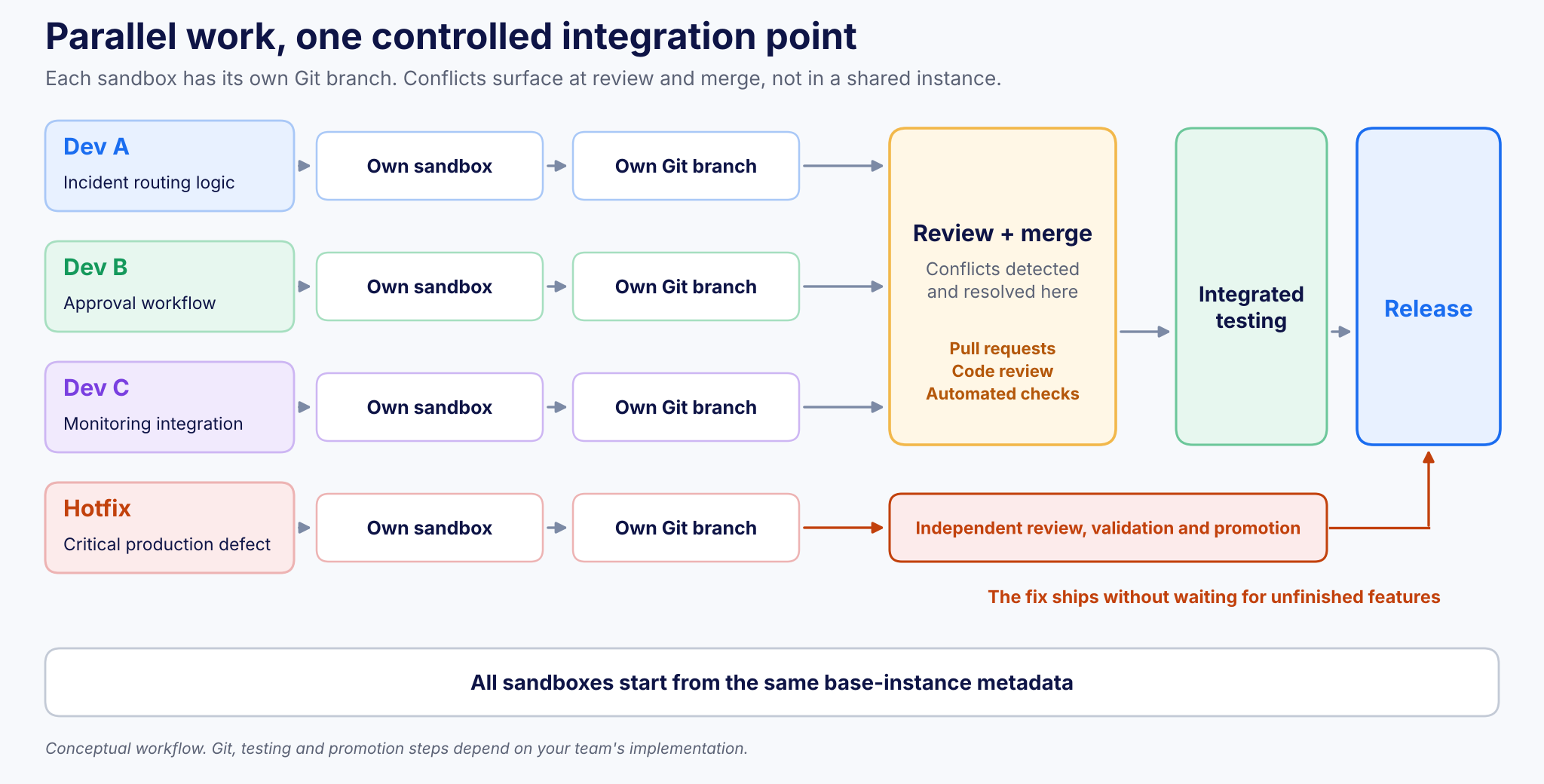
Figure 1. Parallel work, one controlled integration point: features merge together, while a hotfix ships independently.
Teams can respond to urgent business needs without stopping unrelated development.
How Developer Sandboxes Reduce Conflicts
Developer Sandboxes do not make every conflict disappear. They change when and how conflicts are handled. In a shared instance, overlapping changes cause problems while development is still in progress. With sandboxes, metadata changes stay isolated until developers intentionally integrate them, and with Git, conflicts are found and resolved through a controlled review and merge process.
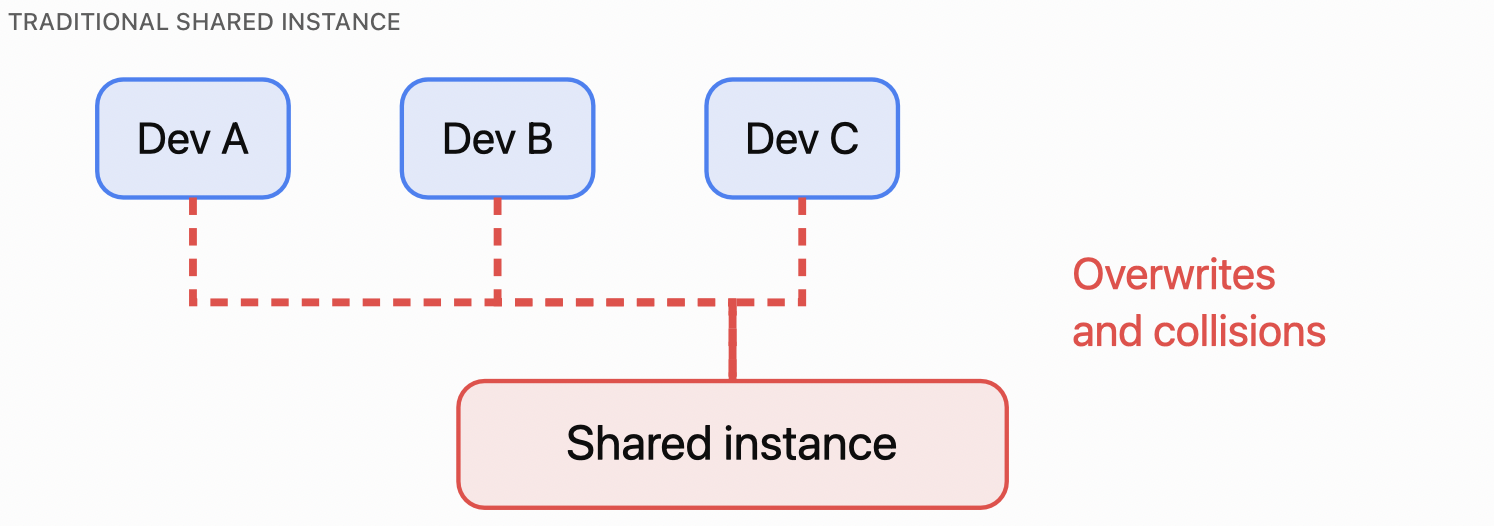
Figure 2. Traditional shared-instance development: every change lands in one place.
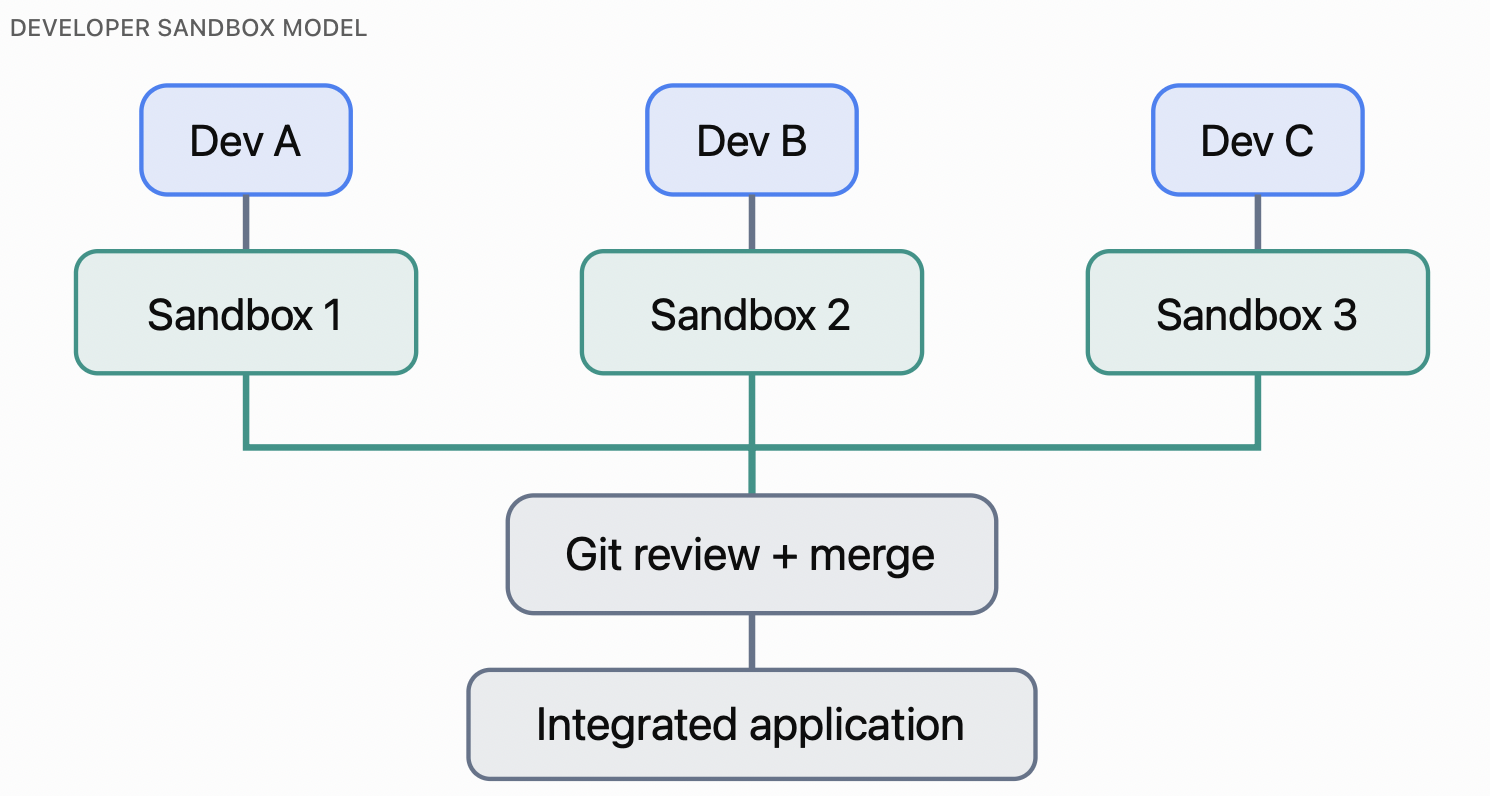
Figure 3. Sandbox-based development: isolated work, integrated through Git review and merge.
Git-based source control makes changes more manageable
A typical workflow assigns a dedicated Git branch to each sandbox. Developers commit independently, review differences and merge approved work into a shared branch. The advantages:
- Traceability: see which changes belong to a specific feature or defect
- Reviewability: examine changes before integration instead of finding them in a shared instance
- Controlled merging: detect and resolve overlapping modifications through source-control practices
- Rollback support: return to previously committed application code when needed
ServiceNow recommends pairing Developer Sandboxes with source control, and its documentation specifies a separate branch for each sandbox.
Git can still report merge conflicts when developers modify overlapping code or metadata. Sandboxes reduce accidental instance-level overwrites; source control manages the remaining integration conflicts. Together, they give collaborative development a more reliable foundation.
A Practical Example: Three Developers, One Application
A ServiceNow team is working on an ITSM modernization project. The current sprint has three deliverables:
| Developer | Assigned work | Environment |
|---|---|---|
| A | New incident routing logic | Sandbox A + Git branch |
| B | Approval workflow enhancements | Sandbox B + Git branch |
| C | External monitoring integration | Sandbox C + Git branch |
Each developer starts from the same application baseline:
- Developer A tests incident-routing behavior without pushing unfinished changes into B’s approval workflow
- Developer B validates approval conditions without interrupting C’s integration testing
- Developer C experiments with integration logic, isolated from the rest of the team
When development is done, the team reviews the commits, resolves overlapping changes and integrates the approved work through its established pipeline. The integrated application then goes through shared testing before release.
Problems are found at defined integration checkpoints, not through surprise changes in a shared instance. The value is not just three developers working at once, but working with fewer uncontrolled dependencies.
Why Developer Sandboxes Matter for Enterprise-Scale ServiceNow Delivery
Isolated development matters most when organizations maintain several ServiceNow products, integrations and custom applications.
Faster development cycles
Teams progress on several features without waiting for unrelated changes. Fewer shared-instance interruptions, combined with efficient code review and deployment, can shorten the path from development to release.
More reliable testing
A stable, isolated workspace makes it easier to validate a feature against a known starting configuration, without every unfinished change from the wider team. Sandbox testing does not replace integration, system or user acceptance testing; features must still be validated together in representative shared environments (see ServiceNow Automated Testing with Now SDK and ATF).
Better collaboration between pro-code and low-code teams
Professional developers may use the ServiceNow IDE, SDK-based source-code development or integrations, while low-code developers configure workflows, forms and experiences. Sandboxes let both work independently.
ServiceNow Fluent further improves source-control workflows by representing supported metadata in a reviewable, text-based format instead of relying only on generated XML. That helps low-code development fit structured engineering practices.
Greater flexibility for AI-assisted development
AI-assisted development can generate and change many application artifacts quickly. If several developers or AI agents modify one shared environment, accidental overwrites happen fast. Sandboxes contain those changes in dedicated workspaces, so teams can review AI-generated modifications, validate their behavior and merge approved changes through source control. That makes sandboxes increasingly relevant for agentic development on the ServiceNow AI Platform.
Best Practices for Implementing ServiceNow Developer Sandboxes
To get the full value, organizations need more than isolated environments. They need a repeatable development process:
- Use one developer per sandbox: assign dedicated sandboxes to individual developers or focused tasks to minimize interference.
- Adopt a clear Git branching strategy: create separate feature branches, define merge rules and require code reviews before integration.
- Keep sandboxes short-lived: retire environments after development to limit configuration drift and complexity.
- Establish an integration and testing process: use automated checks and shared testing environments to validate how independently developed features work together.
- Manage sandbox lifecycle and capacity: monitor allocated environments, release compatibility, access, and upgrade or clone requirements.
- Combine isolation with governance: keep development standards, approved promotion processes and traceability across changes.
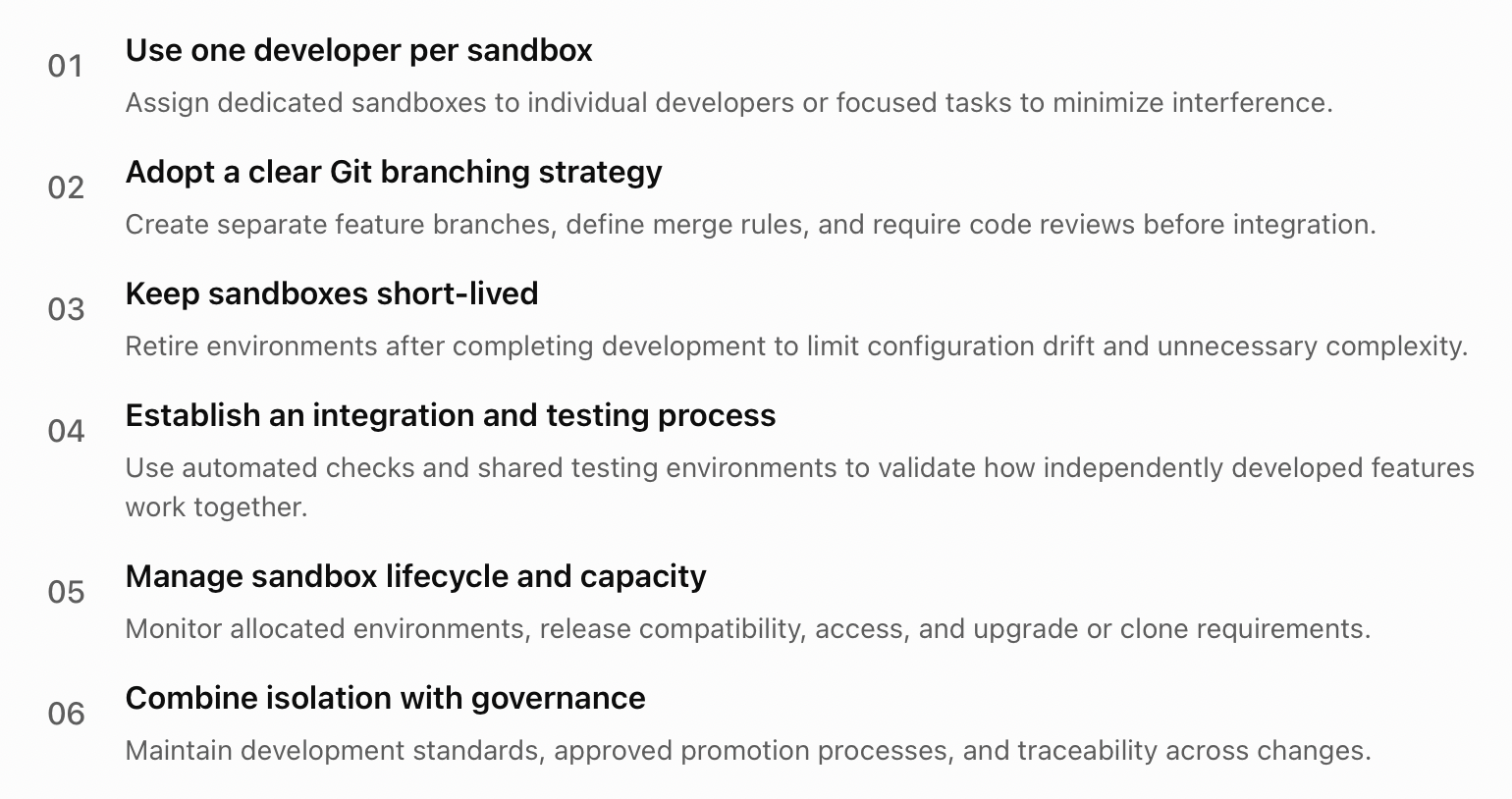
Figure 4. Six best practices for implementing Developer Sandboxes.
Know the boundaries of isolation
- Data behaves differently from metadata: some tables are shared with the base instance, others may be copied without data. Verify data behavior before tests that create, update or delete records
- Upgrades and clones can retire sandboxes: preserve work before these operations, as ServiceNow documentation notes
A successful implementation combines sandbox isolation with disciplined source control, testing and release management.
From Isolated Development to a More Mature ServiceNow SDLC
Developer Sandboxes are most powerful as part of a broader software development lifecycle that connects:
- Developer Sandboxes for independent development and early testing
- ServiceNow IDE, SDK and Fluent for source-oriented development where appropriate (see our source-code development model)
- Git for branching, version control, peer review and controlled merging
- Automated testing to catch regressions before deployment
- CI/CD for repeatable validation and release (see ServiceNow CI/CD with Now SDK and GitHub Actions)
- App Engine Management Center and supported deployment mechanisms for application lifecycle governance
Together, they move organizations from ad hoc configuration changes to predictable, auditable software delivery. For larger teams, the goal is not just fewer conflicts. It is a model where many contributors deliver changes independently without compromising quality or release stability.
Key Takeaways
- Shared development instances cause overwrites, unstable tests and release risk as teams grow
- Developer Sandboxes isolate each developer’s metadata changes on a common baseline
- A Git branch per sandbox moves conflicts to a controlled review and merge checkpoint
- Hotfixes can ship independently without blocking feature work
- Sandboxes do not replace integration testing, code review or release governance
- Data isolation differs from metadata isolation; upgrades and clones can retire sandboxes
Frequently Asked Questions
How do ServiceNow Developer Sandboxes reduce conflicts?
Each developer works in an isolated sandbox, so metadata changes stay separate until they are intentionally integrated. Paired with a Git branch per sandbox, overlapping changes are found and resolved at review and merge, not in a shared instance.
Do Developer Sandboxes eliminate merge conflicts?
No. Git can still report conflicts when developers change overlapping code or metadata. Sandboxes reduce accidental instance-level overwrites; source control manages the remaining integration conflicts.
How are Developer Sandboxes different from Personal Developer Instances?
Personal Developer Instances are mainly for independent learning and experimentation. Developer Sandboxes support coordinated development against an organization’s existing application baseline and are designed for short-term work.
Do sandboxes replace integration or user acceptance testing?
No. Sandbox testing improves early validation, but features must still be tested together in representative shared environments.
How Teiva Systems Helps Organizations Scale ServiceNow Development
As ServiceNow environments grow, organizations need development practices that support larger application portfolios, multiple engineering teams and continuous change. Teiva Systems helps organizations design, develop and optimize applications on the ServiceNow AI Platform, with experience in:
- Custom application development
- ServiceNow Store product engineering
- Integrations
- AI-powered solutions
From structured source-control workflows to automation and application architecture, we help teams deliver ServiceNow solutions with more reliability, flexibility and speed.
Final Thoughts: Parallel Development Should Not Mean Parallel Problems
ServiceNow development gets more complex as teams grow and release cycles speed up. Without isolation, more developers mean more coordination overhead, conflicts and deployment risk.
Developer Sandboxes break that pattern. Developers work independently against a consistent baseline, accidental overwrites drop, and source-control workflows keep integration structured. Sandboxes do not remove the need for integration testing, code reviews or release governance; they make those practices more effective.
The real opportunity is not just building more features at the same time. It is doing so without sacrificing control, quality or delivery confidence.
Ready to improve your ServiceNow development lifecycle? Connect with Teiva Systems to explore how structured development workflows, automation and application engineering can help your team build and deliver with confidence.
Kovalenko Anton, Teiva’s business analyst, Nov 09, 2026
Eager to take the next step? Contact us today!
Latest Articles
ServiceNow Lux: How the New AI-First UI Framework Changes Application Development
ServiceNow Lux: How the New AI-First UI Framework Changes Application Development AI is no longer just a feature inside enterprise software. It is becoming part of the interface itself. For years, ServiceNow developers have built applications around forms, workspaces, dashboards and structured workflows. AI arrived as add-ons: search, record summaries, automation of specific tasks. ServiceNow […]
read more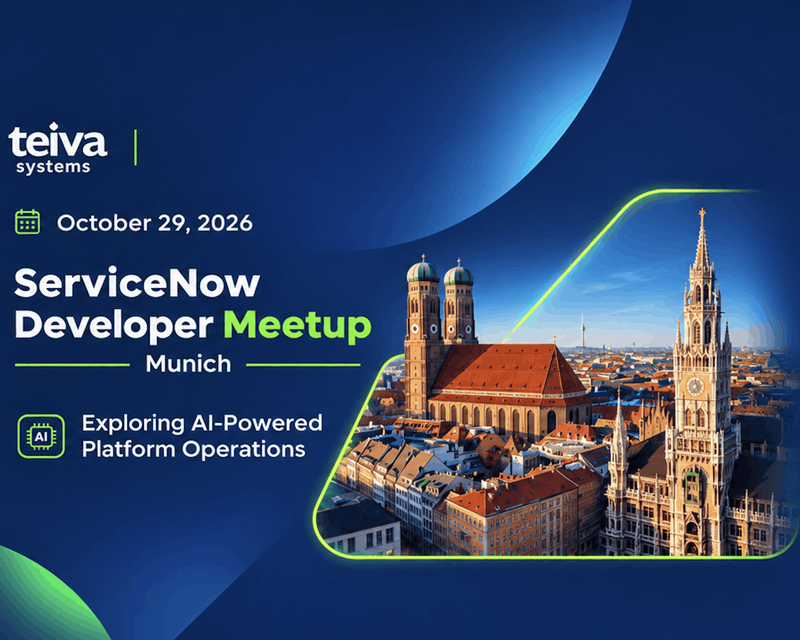
Teiva Systems at ServiceNow Developer Meetup Munich: Exploring AI-Powered Platform Operations
On October 29, 2026, Teiva Systems participated in the ServiceNow Developer Meetup (SNUG) in Munich, hosted by Agineo. The event brought together ServiceNow developers, architects, and technology enthusiasts to explore the latest platform innovations, AI-powered automation, and the future of autonomous ServiceNow operations.
read more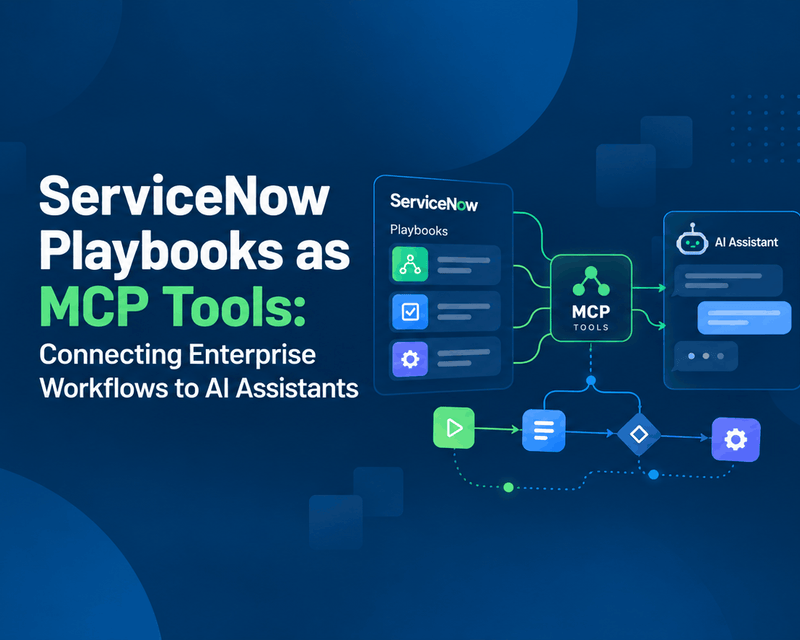
ServiceNow Playbooks as MCP Tools: Connecting Enterprise Workflows to AI Assistants
Imagine an employee opening Claude, describing a business trip, attaching a receipt and asking for reimbursement. No switching applications. No hunting for the right ServiceNow form. No typing the same information twice.
read more