
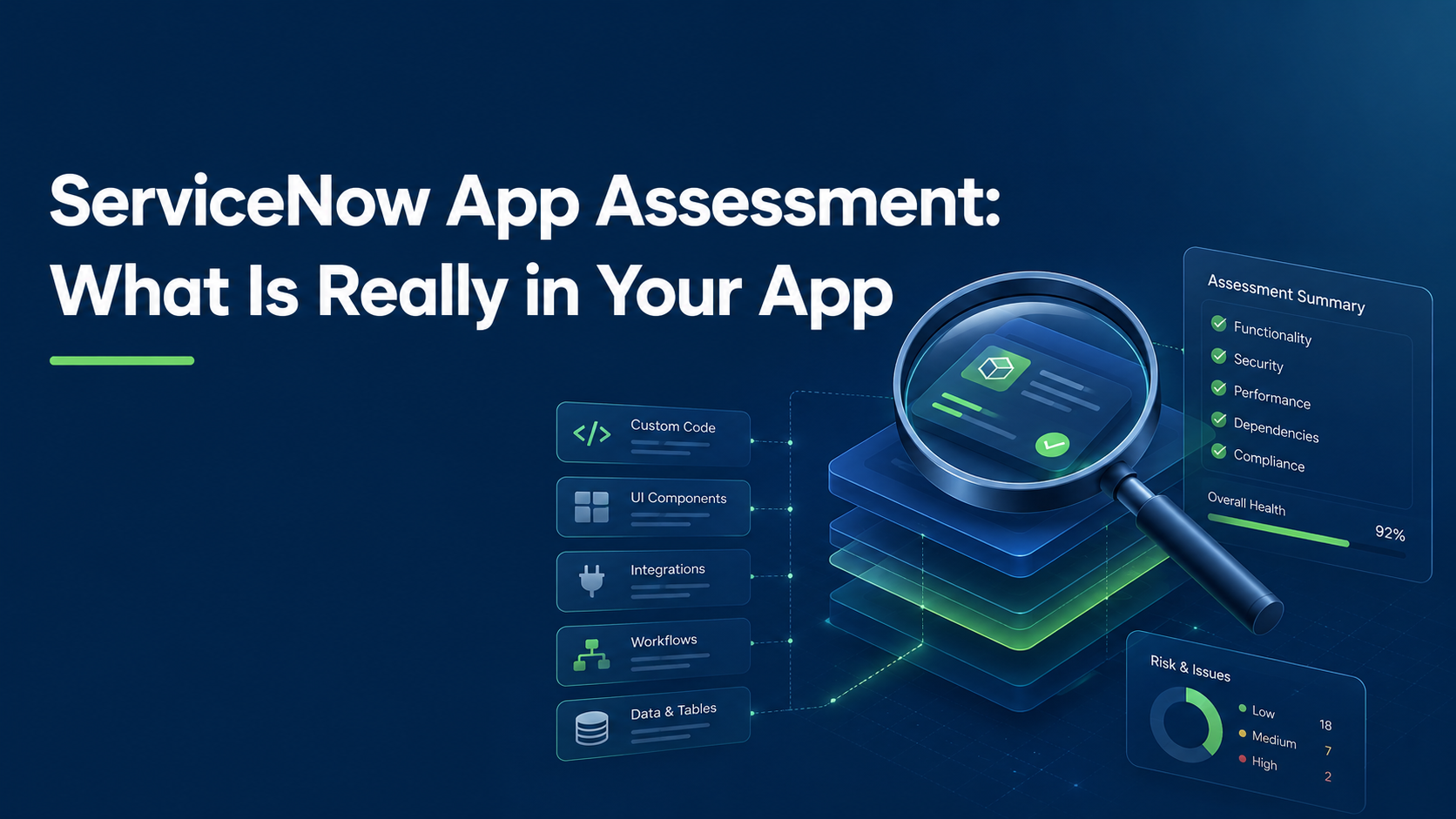
ServiceNow App Assessment: What Is Really in Your App
Every ServiceNow application that has been in production for more than a year shares one property: it works. Someone logs in, clicks through, and watches it do the thing it was built to do. That single fact usually ends the internal conversation about whether the app is healthy.
It should start it. Working is not the same as maintainable, secure, upgrade-safe, or safe to extend. The moment you plan to do any of those four things, “it works” stops being an answer and becomes a question nobody has asked yet. A ServiceNow App Assessment is how you ask it before the budget is committed rather than after.
Contents
- What is a ServiceNow App Assessment?
- Four situations that trigger the same question
- What a real ServiceNow App Assessment surfaced
- How a ServiceNow App Assessment runs
- What you get out of a ServiceNow App Assessment
- If you are an ISV. If you are an enterprise.
- Frequently asked questions
- Where to start
What is a ServiceNow App Assessment?
A ServiceNow App Assessment is a read-only diagnostic of an existing scoped application, run before budget is committed to extending, modernizing, publishing, or inheriting it. It reads the data model, access controls, server and client scripts, declared and actual dependencies, integration surfaces, and the package itself. The output is a findings register in which every entry carries a permanent ID, an evidence citation, a stated impact, a severity, and a concrete correction.
Three things it is not. It is not a remediation project: we assess, someone else fixes, and that someone can be your team or another vendor. It is not a penetration test, and it does not replace one. It is not an Instance Scan report reformatted, although Instance Scan output is one of the inputs we cross-check against.
ServiceNow App Assessment at a glance
| Dimension | Detail |
|---|---|
| What it is | Read-only diagnostic of an existing ServiceNow application, delivered as a findings register |
| When it runs | Before budget is committed to extending, modernizing, publishing, or inheriting the app |
| Typical triggers | Adding AI to an existing app, inheriting one, ServiceNow app modernization, Store submission |
| What we read | Data model, access controls, server and client scripts, declared and actual dependencies, integration surfaces, package definition |
| Access required | A read-only account and a source export. No write access at any point. |
| Who runs it | AI delivery system against a fixed, versioned checklist. A senior ServiceNow architect reviews every finding and signs the report. |
| Severity model | Set by effect if the finding is not fixed. Never by effort to fix it. |
| What you get | Findings register with ID, evidence, impact, severity, and correction per entry, plus a coverage statement and a remediation sequence in waves |
| What we do not do | Remediation, writes to your instance, penetration testing, or any warranty on a third-party review outcome |
| Commercials | Fixed scope in a statement of work, set after a scoping call. No rate card. |
Four situations that trigger the same question
Four different starting points arrive at one question: what are we actually dealing with here.
| Trigger | The question you cannot answer from inside | Cost of finding out late |
|---|---|---|
| Adding AI to an existing app | Do the data model and ACLs underneath hold up under a new runtime path? | Data exposure through a surface nobody scoped for it |
| Inheriting an app | What did the previous owner build, and what did they leave undone? | Accountability without knowledge |
| Modernizing UI or stack | Is the foundation sound enough to justify rebuilding the surface? | A new front end on unmeasured debt |
| Publishing to the ServiceNow Store | Is the package valid, and separately, is the app good? | Rejection means a restart, not a fix |
Adding AI to an app you already run
A generative layer does not sit cleanly on top of an application. It surfaces the data model and the access controls underneath it, through a runtime path that nobody load-tested for exposure. If the access controls are already loose, the AI layer does not introduce the weakness. It multiplies the reach of one that was already there. This is the most common reason clients ask us to assess before they build rather than after.
Taking over an app you did not build
A vendor change, a departed contractor, an acquisition. Someone hands you a working system and you are now accountable for it. The handover documentation describes intent. The instance describes reality. Those two documents rarely match, and the difference is what you have just taken on. The same applies when an app moves into an application management arrangement and the incoming team needs a baseline it did not write itself.
ServiceNow app modernization
ServiceNow app modernization usually starts as a design conversation. New workspace, new portal, new experience layer. The design conversation is the easy half. The part that decides the budget is whether the tables, ACLs, and business logic underneath can carry a new surface, or whether you are about to spend a quarter putting a modern front end on a data model that has been drifting since 2019. Measure first, then decide what modernization means. An assessment turns that decision from an argument between opinions into a comparison between findings.
Publishing to the ServiceNow Store
A submission can be well built, secure, and thoroughly tested, and still be rejected. Store review checks two different things: whether your package is valid, and whether your app is good. Only the second one is about code quality. Teams preparing a submission tend to prepare hard for the second gate and discover the first one on rejection. That is why it pays to assess a ServiceNow Store app against both gates before the submission window opens.
What a real ServiceNow App Assessment surfaced
This is not a hypothetical service. We have run this engagement, paid, for a client preparing a ServiceNow Store submission. Full read-only diagnostic, a real findings register, real remediation waves owned by their team. We can describe the method precisely because we are describing what we did, not what we would like to sell.
The two most consequential findings were not about code quality. Both were about dependencies resolved by owning package rather than by scope. The application wrote records into tables owned by another package, a common pattern around Virtual Agent, Now Assist, and shared API surfaces, without declaring that package as a dependency. The declaration looked complete. It was not. That gap stays invisible until someone resolves the dependency footprint the correct way, and it is close to unfindable from inside an engineering team that is confident the app just works. If you want the underlying mechanics, our note on scoped versus global application boundaries covers why package ownership and scope diverge.
Adjacent to it, a second finding of the same family. A technical plugin being installed is not the same as the customer holding the paid entitlement behind it. An integration can install cleanly and then silently do nothing. The first place that surfaces is a failed functional test on a reviewer instance, after submission, when the outcome is a restart rather than a correction.
How a ServiceNow App Assessment runs
Read-only, always
No writes to your instance. No code changes. No remediation performed by us. That boundary is written into the engagement basis, not implied by good intentions. It also keeps the assessment usable as evidence: nothing in the register was authored by the party that found it.
Evidence or it does not ship
Every finding is checked against the real source export, not only against whatever an interactive session happened to query, and cross-checked against Instance Scan output with false positives removed and explained. Anything we cannot substantiate gets dropped rather than recorded as a maybe. A finding without an evidence citation does not enter your report.
Severity by effect, not by effort
A Critical finding stays Critical because of what happens if it is not fixed: it blocks submission, weakens access control, exposes data. Not because someone estimated the patch at two hours. Severity by effort is how real risk quietly becomes a nice to have.
Findings are records, not bullets
Each finding carries a permanent ID, a specific evidence citation, a stated impact, and an actual correction. Not “improve security” but the concrete change. IDs are never reused or renumbered, including after a finding is closed, so the register stays a working audit trail across revisions instead of a document rewritten from scratch each round.
AI runs the checklist. A senior architect owns the verdict.
The first pass is executed by our AI delivery system against a fixed, versioned checklist. Every check, every time, in the same order, with nothing skipped because it was late in a long day. Every finding it drafts is then reviewed by a senior ServiceNow architect who drops what is not substantiated, sets final severity, and approves it before it reaches you. Nothing ships on the machine’s say-so, and a named architect signs the report. The machine gives coverage and consistency. The human gives judgment and accountability. The same split governs our AI-assisted development work and our view on AI-generated code in ServiceNow delivery.
We tell you what we could not check
Every report closes with coverage limitations, alongside the positive assurances: what was checked and found sound, not only what was found wrong. A report that lists nothing but problems is not more rigorous. It is less credible, and it is less useful when you have to take it to a steering committee.
A glimpse under the hood
We do not run one generic checklist and relabel it per client. Underneath the report sits a shared library of assessment dimensions: data model hygiene, code and access control posture, integration design, packaging and dependencies, data flow disclosure, and two forward-looking ones covering modernization readiness and AI opportunity. Each engagement activates only the subset that matches why you are asking.
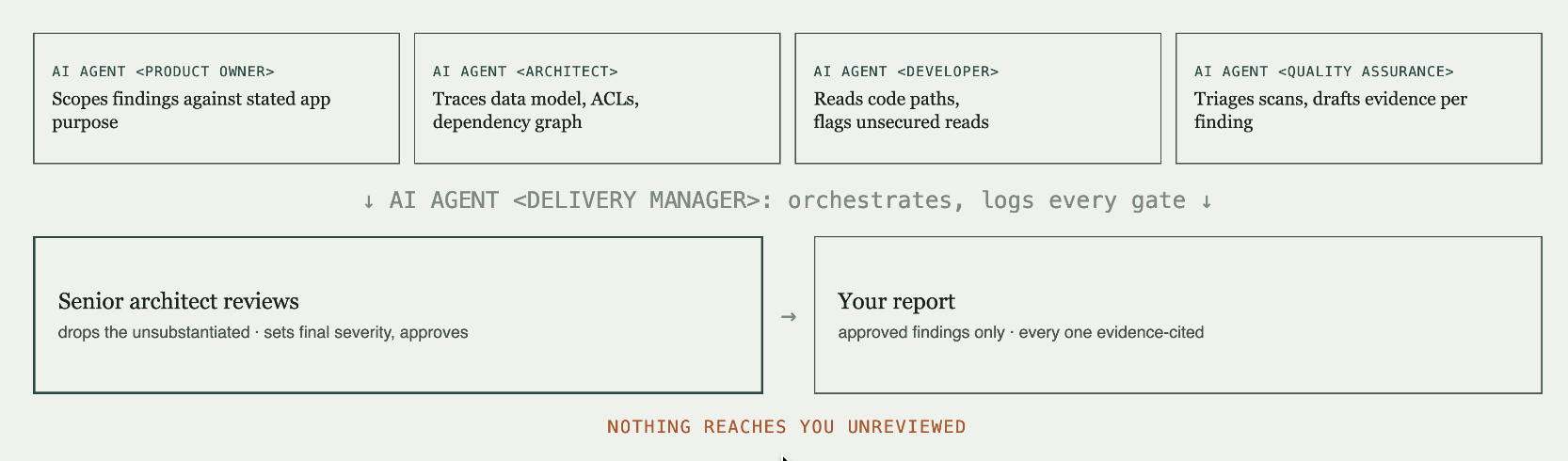
A Store submission and an AI readiness review draw on the same underlying engine and light up different parts of it. That is deliberate. It is what lets us fix a scope before we have seen your app, and it is why the method gets more reliable with every engagement instead of being reinvented each time from a consultant’s memory.
What you get out of a ServiceNow App Assessment
A findings register with IDs, evidence, severity, impact, and correction per entry. A coverage statement naming what was in scope and what was not. A remediation sequence grouped into waves, ordered by effect rather than by convenience. And a verdict stated plainly: proceed, proceed once these items are closed, or do not proceed on this foundation.
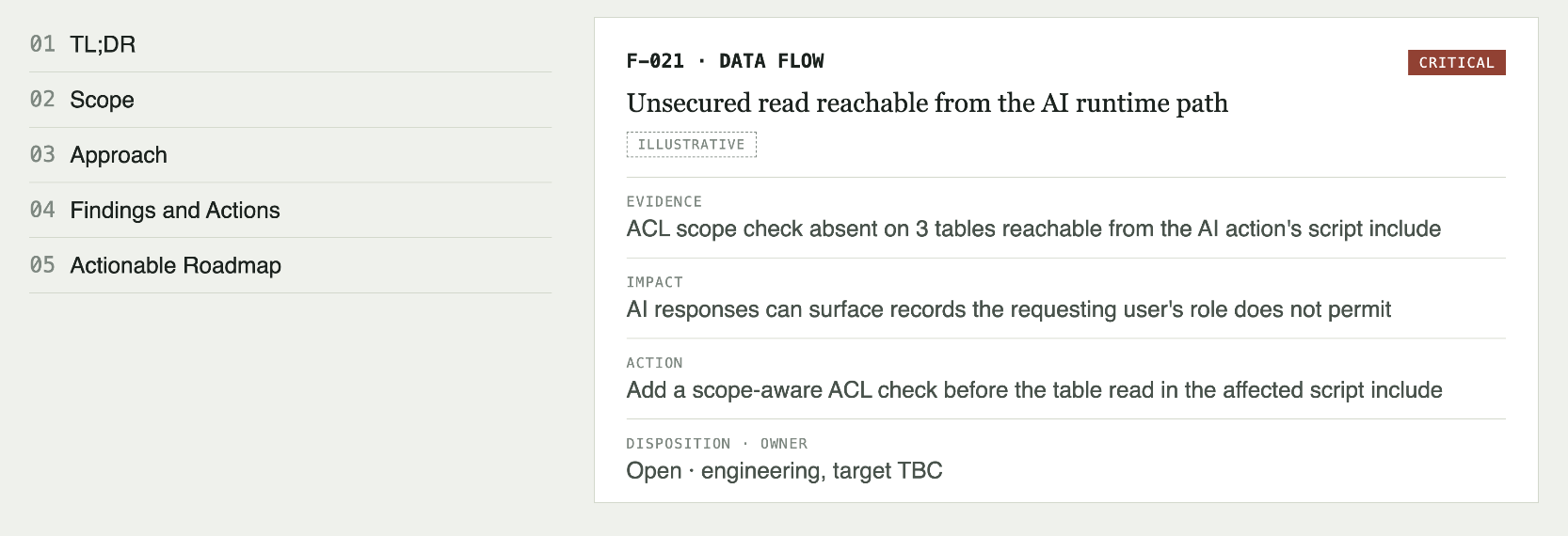
The register belongs to you, and it works as a handover artifact to whoever does the remediation, including a vendor that is not us.
If you are an ISV. If you are an enterprise.
If you are an ISV preparing a Store submission, the ServiceNow App Assessment tells you which of the two failure modes you are exposed to. The packaging gate that has nothing to do with code quality, or the review gate that has everything to do with it. It tells you before the review team does, at the cost of a fix rather than a restart.
If you are an enterprise adding AI to an internal app, inheriting one from a departed vendor, or modernizing a stack that is three years old or more, the assessment answers the question your own team cannot answer from the inside. Is the thing you are about to build on top of actually sound, or does “it works” simply mean nobody has stress-tested it yet.
Either way, we do not warrant anyone else’s review outcome, and we do not sell a remediation project disguised as an audit. We assess. You decide what to do with what we find.
Frequently asked questions
What is a ServiceNow App Assessment?
A read-only diagnostic of an existing ServiceNow application, covering data model, access controls, scripts, dependencies, integrations, and packaging. It produces a findings register in which every entry has an evidence citation, a severity set by effect, and a concrete correction. No changes are made to the instance.
How is a ServiceNow App Assessment different from running Instance Scan?
Instance Scan is one input, not the assessment. It reports rule violations without knowing your intent, which produces false positives that a tool cannot resolve. We cross-check its output against the real source export, remove false positives with a stated reason, and add the categories it does not cover, including dependency resolution by owning package, entitlement versus plugin installation, and exposure introduced by a new runtime path.
Do you need write access to our instance?
No. A ServiceNow App Assessment runs on read-only access plus a source export. The read-only boundary is stated in the engagement basis and holds for the full engagement.
Can an assessment guarantee ServiceNow Store approval?
No, and any partner who says otherwise is guessing on your behalf. Store review is run by ServiceNow, not by us. What an assessment does is find the issues that cause rejection while they are still cheap to correct, and tell you honestly which of them we could verify and which we could not.
When should we assess a ServiceNow Store app?
Before the submission, with enough time left to remediate. A rejection is not a correction cycle, it is a restart. The practical window is after the app is feature-complete and before the packaging and functional testing pass that precedes submission.
Our app is in global scope, not a scoped application. Can you still assess it?
Yes. The scope boundary then becomes one of the findings rather than an assumption we work inside. Global apps carry a different risk profile, mostly around upgrade safety and cross-application side effects, and the register says so explicitly instead of judging the app against a standard it was never built to.
Can you assess a ServiceNow Store app after a rejection?
Yes, and it is a common starting point. A rejection notice tells you what failed, not why the app was in a state to fail it. A ServiceNow App Assessment reconstructs that, separates the packaging causes from the code-quality causes, and gives you a sequence to work through before the next submission.
What happens to our source export?
It is handled under the NDA agreed before any access is granted, it stays inside the engagement, and it is not reused as reference material for other clients. If you need the export destroyed at close, that goes into the statement of work rather than into a verbal assurance.
Who owns the findings register?
You do. It is written to be handed onward, including to a vendor that is not us. The IDs are stable across revisions specifically so a third party can work the register without renumbering it, and so you can prove later which findings were open when.
Does this cover ServiceNow app modernization decisions?
Yes. A ServiceNow App Assessment gives you the foundation view a modernization business case needs: what has to be fixed regardless, what can be carried forward, and what makes a rebuild cheaper than an extension. That is the difference between a modernization budget built on findings and one built on a design mockup.
What does it cost and how long does it take?
No price and no timeline exist before a scoping call. Every engagement is scoped to the application in front of us and fixed in a statement of work before any access is granted. We do not sell this off a rate card.
Where to start
A scoping call, then read-only access, then a fixed-scope statement of work, then the ServiceNow App Assessment itself, then a findings register you can hand to your own team or to whoever performs the remediation.
If you are staring at an app you did not build, about to bolt AI onto one you did, or about to submit to the Store for the first time, that is the conversation to have before the budget, not after. Book the scoping call.
Kostya Bazanov, Managing Director, Sep 04, 2026
Eager to take the next step? Contact us today!
Latest Articles
ServiceNow Intelligent Approvals: How AI Turns Policies Into Approval Decisions
What if your approval policies could make decisions, instead of sitting in documents waiting for someone to interpret them? For years, approval automation has followed the same pattern. Business teams write policies. Developers translate them into workflow conditions. Employees wait for someone to approve or reject their request, even when the outcome is obvious.
read more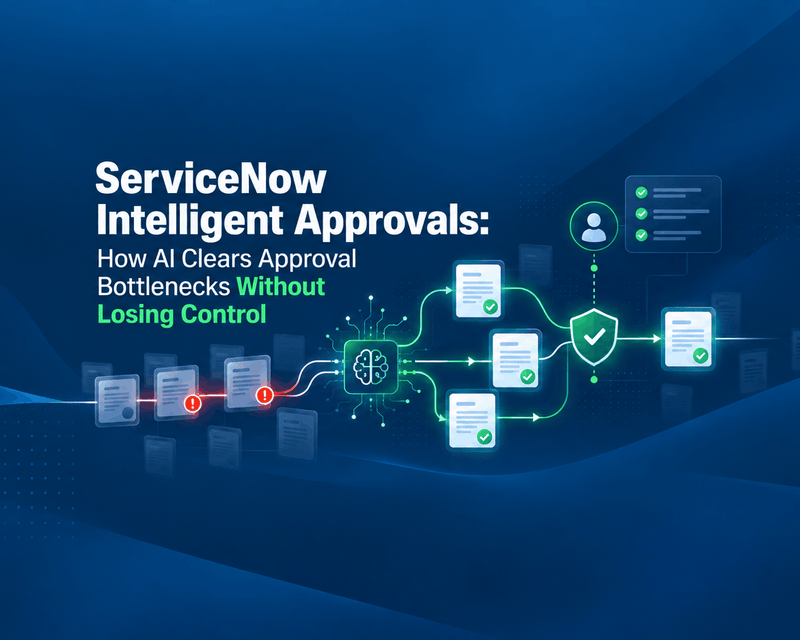
ServiceNow Intelligent Approvals: How AI Clears Approval Bottlenecks Without Losing Control
Your automation is fast. Your approvals are not. Organizations invest heavily in automation, AI and digital transformation. Yet many business processes still stall at the same point: waiting for someone to click “Approve.”
read more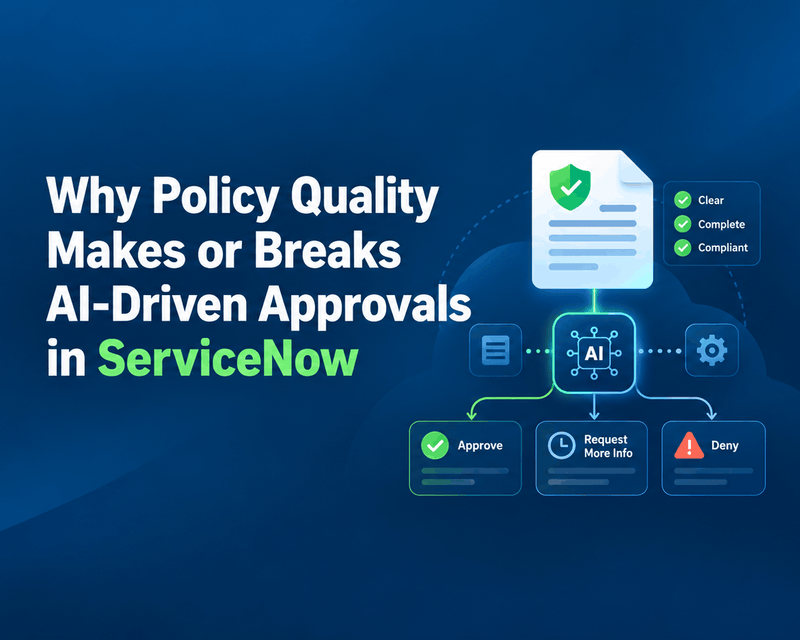
Why Policy Quality Makes or Breaks AI-Driven Approvals in ServiceNow
As enterprises bring AI-driven approvals into ServiceNow, attention goes straight to automation: faster decisions, fewer manual tasks, shorter approval queues. One factor gets far less attention: the quality of the policies behind those decisions.
read more