
How to Prepare Custom ServiceNow Apps for Platform Upgrades
ServiceNow regularly releases updates with new features that can improve performance, efficiency, and user experience. Prepare custom ServiceNow apps for upgrade – it’s necessary, it helps maintain the security, reliability, and functionality of the platform, as well as making full use of innovations and improvements.

Why ServiceNow upgrades impact custom applications
Updates to the ServiceNow platform may affect user applications due to changes in functionality or security. At the same time, ServiceNow upgrade can bring new features, improve performance, and enhance security, but they can also cause problems.
Basic reasons for the impact:
- Changes in functionality. For example, updates may include changes in component identification, role accounting, and sending modal forms.
- The complexity of user applications. For example, highly customized instances often require additional testing and rework during ServiceNow updates.
- Errors in the code. User code may break after updates, which creates additional work.
- Side effects. The integrated nature of ServiceNow means that a failure in one part of the platform can cause side effects in another element.
Common risks for custom apps during upgrades
Updating custom ServiceNow apps can involve various risks related to technical issues, security, business risks, and communication. It is important to predict the risks in advance and properly organize the upgrade process to minimize them.
- Wrong tech stack. This can cause unpredictable problems, from loss of application stability to difficulties with scalability and support.
- Integration problems. Integrations are third-party services that are connected to the application to support its operation: payment gateways, customer bases, SMS notifications.
- Insufficient input verification. When user input is not checked, this opens the door to attacks such as SQL injection and cross-site scripting.
- Incorrect security configuration. Unauthorized access may occur due to incorrect security settings.
Best practices for preparing custom apps before an upgrade
In case you are going to update custom ServiceNow apps, follow these practices:
- Planning. Create a strategy that reflects the key steps of the upgrade process and addresses potential issues.
- Code. Use update sets that reflect configuration changes. These changes can be moved from one instance to another for testing or deployment.
- Data. Identify and rank internal dependencies, view user interface scripts, and business rules. Use tools to automatically detect changes in the schema and fields, such as Upgrade Monitor and Impact Analyzer.
- Testing. For example, you can use the built-in ServiceNow Automated Test Framework (ATF) feature to automate slow and resource-intensive tests.
Testing and validation strategies for custom ServiceNow apps
ServiceNow’s user application testing and validation strategies are ways to test upgrade readiness, functionality, integration, security, and user experience. It is important to keep in mind that ServiceNow is a cloud platform, and each client receives its own copy (instance).
Some strategies for testing ServiceNow custom applications are:
- Automated testing. Tools for creating and running automated tests help to verify the functional compliance of applications, settings, or configurations.
- Manual check. It is used for introductory, usability, and upgrade readiness testing.
- Regression testing. This operation was conducted earlier and is performed using a standardized, repeatable process.
- Integration testing. For this purpose, specialized testing tools simulate various integration situations to check platform stability.
- Performance and scalability testing. It is important to check the efficiency of the platform and its stability when the load level changes. For this purpose, performance testing tools are used that simulate thousands of simultaneous users and transactions.
- Testing of data security and compliance with standards. When installing ServiceNow, it is important to check data security and compliance with legal regulations, especially in companies working with confidential information.
ServiceNow validation strategies:
- Testing the user acceptance (UAT). It is conducted by end users and is the final stage of verification. The goal is to make sure that the platform is properly configured to achieve business results.
- Running UAT sessions with planned testing scenarios. This increases the testing coverage and ensures compliance with business objectives.
- Using UAT technologies allows stakeholders to contribute. This improves the feedback collection process and speeds up the approval period.
- Making clear communication channels between testing teams, business users, and stakeholders. This helps to ensure smooth coordination.
Governance and documentation best practices
It is important for ServiceNow user applications to follow best management and documentation practices. This will help ensure the effectiveness of the platform, monitor changes, and ensure transparency of processes.
Governance practices
Some governance ServiceNow best practices for custom applications are:
- Provide a management structure. It should come with a clear and logical approach to managing and controlling the deployment, use, and evolution of the platform.
- Run audits and reviews. This helps to assess compliance with management policies and find spots for improvement.
- Use continuous training and support for users and administrators to promote best practices and update them on new features and capabilities.
- Use the built-in ServiceNow tools. Settings should be considered when the built-in functions do not meet specific requirements.
- Split the instance into several environments to help you thoroughly test changes before moving them into the production environment.
Documentation practices
Some fruitful documentation practices for custom ServiceNow apps are:
- Maintain detailed documentation on configurations, settings, and scripts. It should include script comments, field descriptions, and detailed configuration notes.
- Document the process and use cases in detail. This will help users to quickly understand the application and make sure that it is working properly.
- Use API documentation tools. This will let you create documentation that is accessible and understandable to users.
- Make sure that the documentation is synchronized with the changes made directly to ServiceNow. For example, you can use tools to manage documentation versions according to changes in the platform.
- Use the ServiceNow community to get recommendations and support. The forums and documentation contain information about best practices and new features.
Real-world example based on Teiva Systems’ experience with an upgrade-safe ServiceNow integration
Teiva Systems technology provider faced three critical challenges:
- Resolving IT incidents was slow, leading to service disruptions.
- The work processes were mostly performed manually, which led to inefficiency.
- Compliance tracking was fragmented, which increased the risks for regulators.
To solve the problem, it was decided to use ServiceNow ITSM and ITOM. As a result, through the implementation of ServiceNow upgrade tools, Teiva Systems has improved its operational capabilities by:
- Automation of requests for IT services with categorization based on artificial intelligence.
- Implement real-time infrastructure monitoring to prevent downtime.
- Optimize compliance tracking by integrating GRC workflows.
Thus, the company has fully optimized the workflow in a fintech field.
As a result, Teiva has reached success:
- IT operating costs reduced by 50%
- Resolution of service requests accelerated by 40%
- 100% compliance readiness due to automated tracking
- Increased system reliability and security.
Automate business, increase profitability, scalability and sustainability with custom ServiceNow Apps! Teiva Systems is here to provide you with all you need!
Oleksii Konakhovych, CTO, Feb 09, 2026
Eager to take the next step? Contact us today!
Latest Articles
From Ticket Chaos to Autonomous IT: How Enterprises Are Turning ServiceNow Into a Self-Driving Platform
Why scaling tickets is not the same as scaling IT - and what leading organizations are doing instead.There was a time when IT success seemed simple:close more tickets.
read more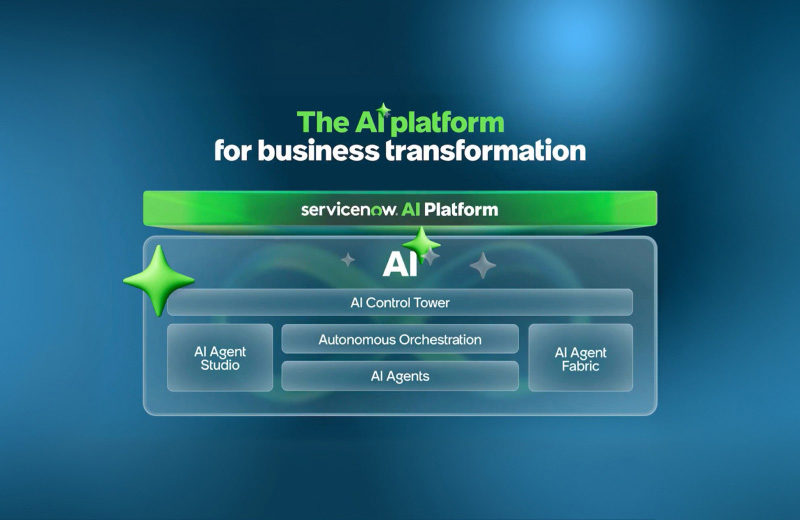
ServiceNow AI Skills, AI Agents & AI Workflows: The Complete Guide (2025–2026)
ServiceNow offers over 300 AI Skills across 30+ product modules, organized under the Now Assist ecosystem. AI Skills are discrete, reusable GenAI capabilities (e.g., incident summarization, resolution notes generation).
read more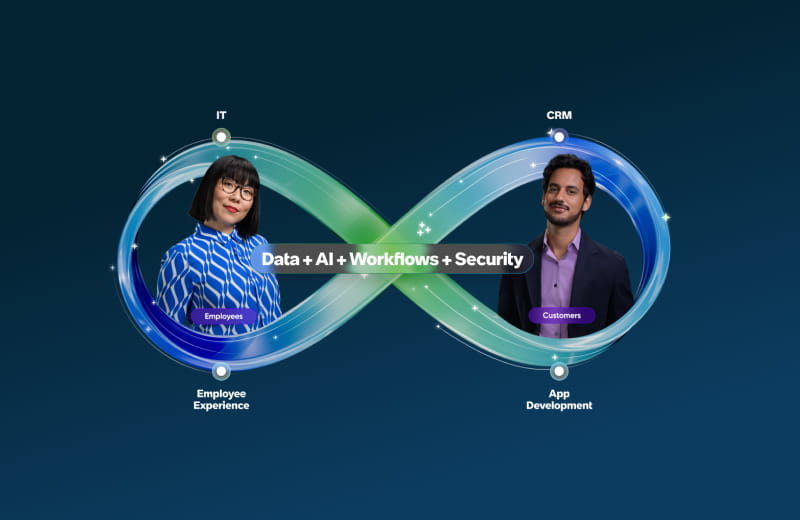
Teiva Systems at ServiceNow Partners Day Munich: In the Age of AI, Execution Wins
Teiva Systems recently joined ServiceNow Partners Day in Munich, where more than 70 partner organizations and 120+ attendees came together to discuss the future of the ServiceNow ecosystem.
read more